 Written by
A first-time client visits Elite Men Hair & Spa on a phone and wants a haircut in Jacksonville Beach, Florida. They need to find the right service, see who can do it, and check when there’s an opening. We followed that route on the live site and captured five screens along the way.
What Happy ASP built
Our work for the salon included visual identity, the responsive WordPress site, and the handoff to Vagaro for online booking. We organized the service pages and calls to action around two common visits: browsing the menu to decide what to book, and arriving ready to make an appointment. The website introduces the salon and its services. Vagaro handles the service selection and live availability.
From the homepage to the right service
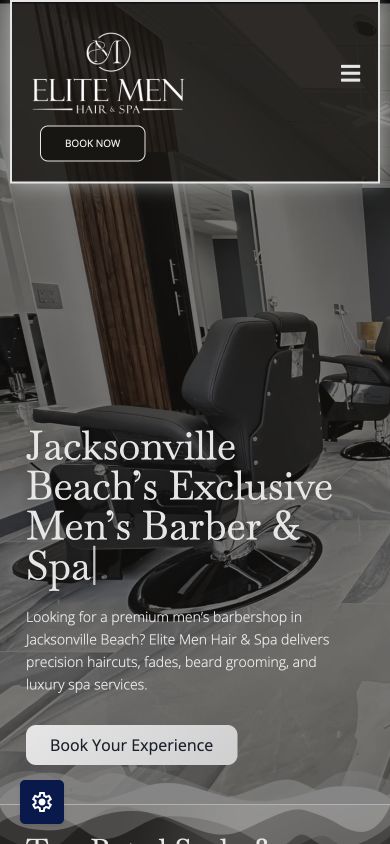
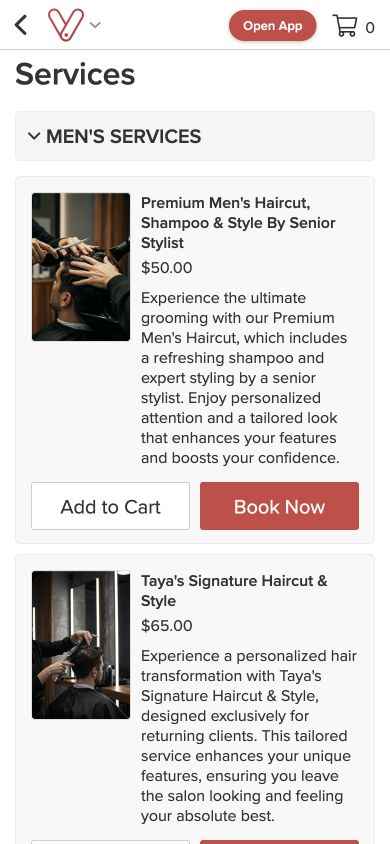
On mobile, the header has a Book Now button and the homepage also offers Book Your Experience. We used the second button. It opened the salon’s Vagaro service catalog in the browser with Men’s Services expanded. The first haircut entry included a description, a price, and a service-level Book Now button. The next entry was marked for returning clients, a distinction worth making visible before a new client picks a service.
What happens after choosing the haircut
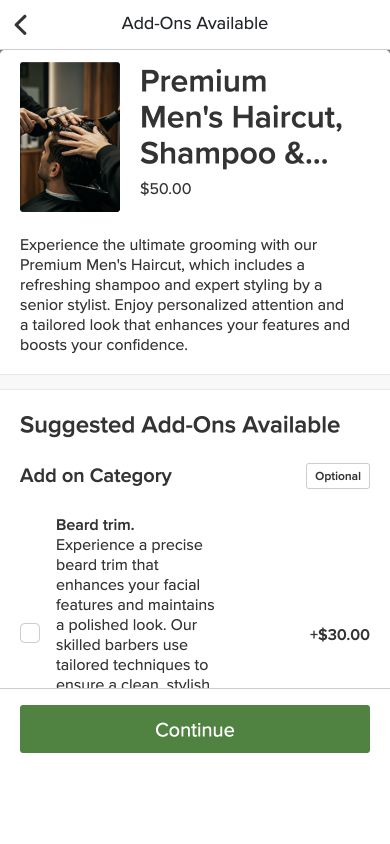
Tapping Book Now on the premium haircut opened an add-ons screen. It offered optional extras such as a beard trim and kept the original haircut visible. We continued without an add-on. The selected haircut carried into the calendar, so there was no need to find it in the service list again.
What a client sees when the day is full
The first date we checked had no openings for the selected haircut. Vagaro displayed the next available date with a button that took us there. The next screen showed the professional, the selected service, and available time slots. That fallback matters on a phone. A client who is flexible can keep moving without starting the search over.
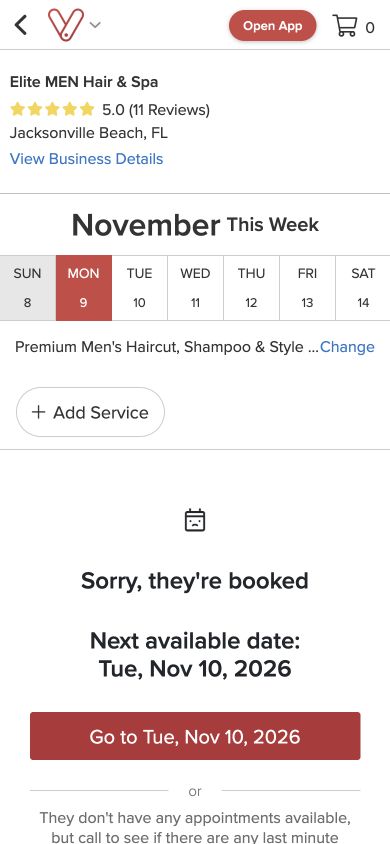
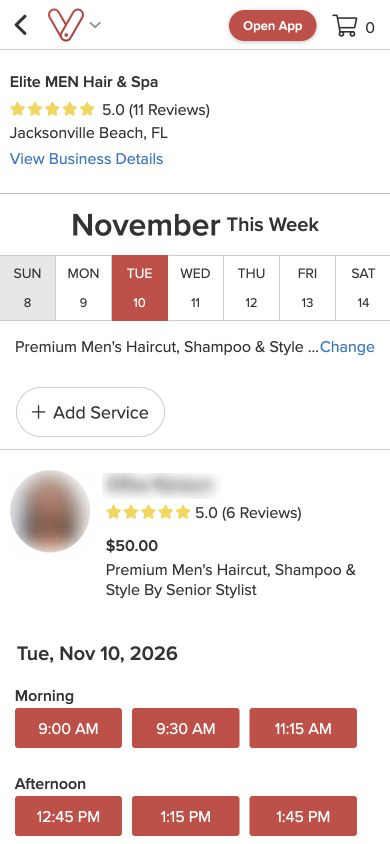
The screenshots show the public booking screens as they appeared on November 9, 2026. Service details and availability can change. The walkthrough ends at the list of available times.
How to test this on your own salon website
Try the route once as a new client. Start on your phone, follow the booking link, choose a common service, and check that the same service is still selected in the calendar. Then try a fully booked day and see what the customer can do next. Our mobile salon booking checklist walks through these checks and covers confirmation as a separate step you can test with your team.
Need help with a website or its booking flow? Explore Happy ASP’s website and creative services.